
The best way to get a net worth widget on your iPhone
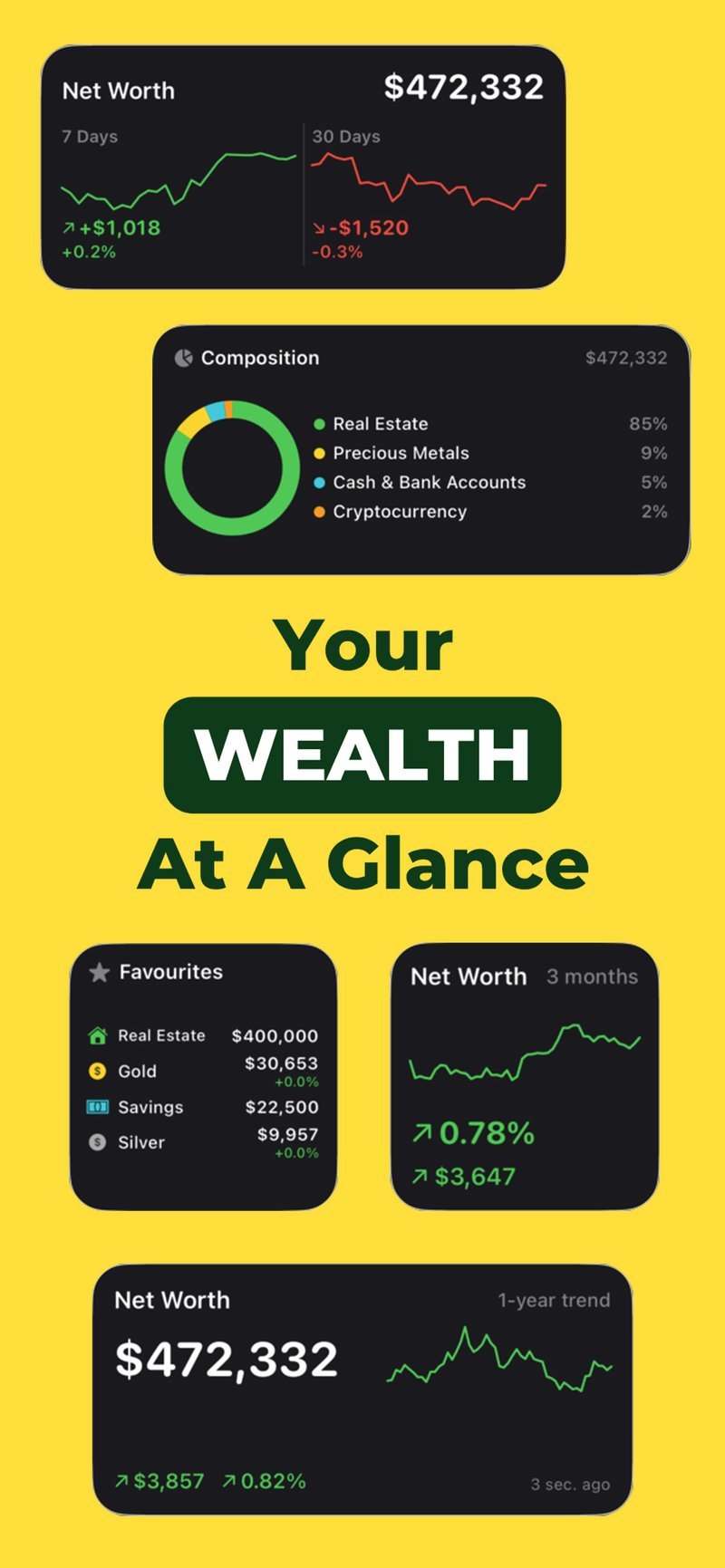
The best way to get a net worth widget on your iPhone is to use a tracking app that includes one, then add it to your home screen like any other widget. Net Worth Tracker shows your total net worth and daily change directly on your home screen, built from the assets you enter and live prices for gold, silver and crypto, so you can see where you stand without opening the app at all.
Why a widget is worth having
A widget removes the small bit of friction that stops most people checking their finances regularly: opening an app, waiting for it to load, tapping through to the right screen. With a widget, your net worth is just there, on the same home screen as your weather and your calendar. That visibility tends to make people more consistent about noticing changes, not because it nags them, but because there is nothing left to do to see it.
It also changes how you relate to the number itself. When checking means opening an app, you tend to only look when something prompts you to, after a purchase, or once a month out of habit. A widget turns that into something you glance at the way you glance at the time, which makes a slow-moving figure like net worth feel less abstract over the course of a year.
What a net worth widget can show
A well-built net worth widget should give you the headline number and enough context to know if that number is meaningfully different from yesterday. Net Worth Tracker’s widget shows your current total net worth and your daily change, pulled from the same live prices and entries used in the full app. If your portfolio includes gold, silver or crypto, those values are already current in the widget without you needing to open anything.
How to add the widget to your home screen
- Install Net Worth Tracker and add your assets so it has something to show.
- Long-press an empty area of your home screen until the icons start to jiggle.
- Tap the plus icon in the corner and search for Net Worth Tracker.
- Choose the widget size you want and tap “Add Widget”.
- Drag it to the position you want on your home screen, then tap “Done”.
Once it is placed, the widget updates itself along with the app. There is nothing further to configure.
Keeping the widget accurate
The market-priced part of your net worth, gold, silver and crypto, stays accurate on its own because it pulls live prices. The part that depends on you is the fixed figures: your savings balance, a mortgage, a property estimate. Update those inside the app every so often and the widget reflects the change automatically the next time it refreshes. You do not need to do anything widget-specific, it simply mirrors whatever is in the app.
Privacy on the lock screen and home screen
Showing your net worth on a home screen is a genuine consideration if other people see your phone, so it is worth thinking about where you place it. A widget on a rarely-seen secondary home screen page, rather than your main one, keeps it out of casual view while still being one swipe away when you want it. Because Net Worth Tracker does not require a bank connection, the figures behind the widget stay on your device either way, but the widget’s own visibility is still something you control by where you put it.
See your net worth without opening an app
Free on iPhone. Add the widget and your total, plus daily change, sits on your home screen.

Frequently asked questions
Does the net worth widget update automatically?
Yes. Gold, silver and crypto values refresh from live prices, and any changes you make to fixed balances in the app appear in the widget the next time it refreshes.
Can I add the net worth widget without linking a bank account?
Yes. Net Worth Tracker never requires a bank connection. You enter your assets yourself, and the widget shows the total built from those entries plus live market prices.